
What the hell IS an NHI these days?
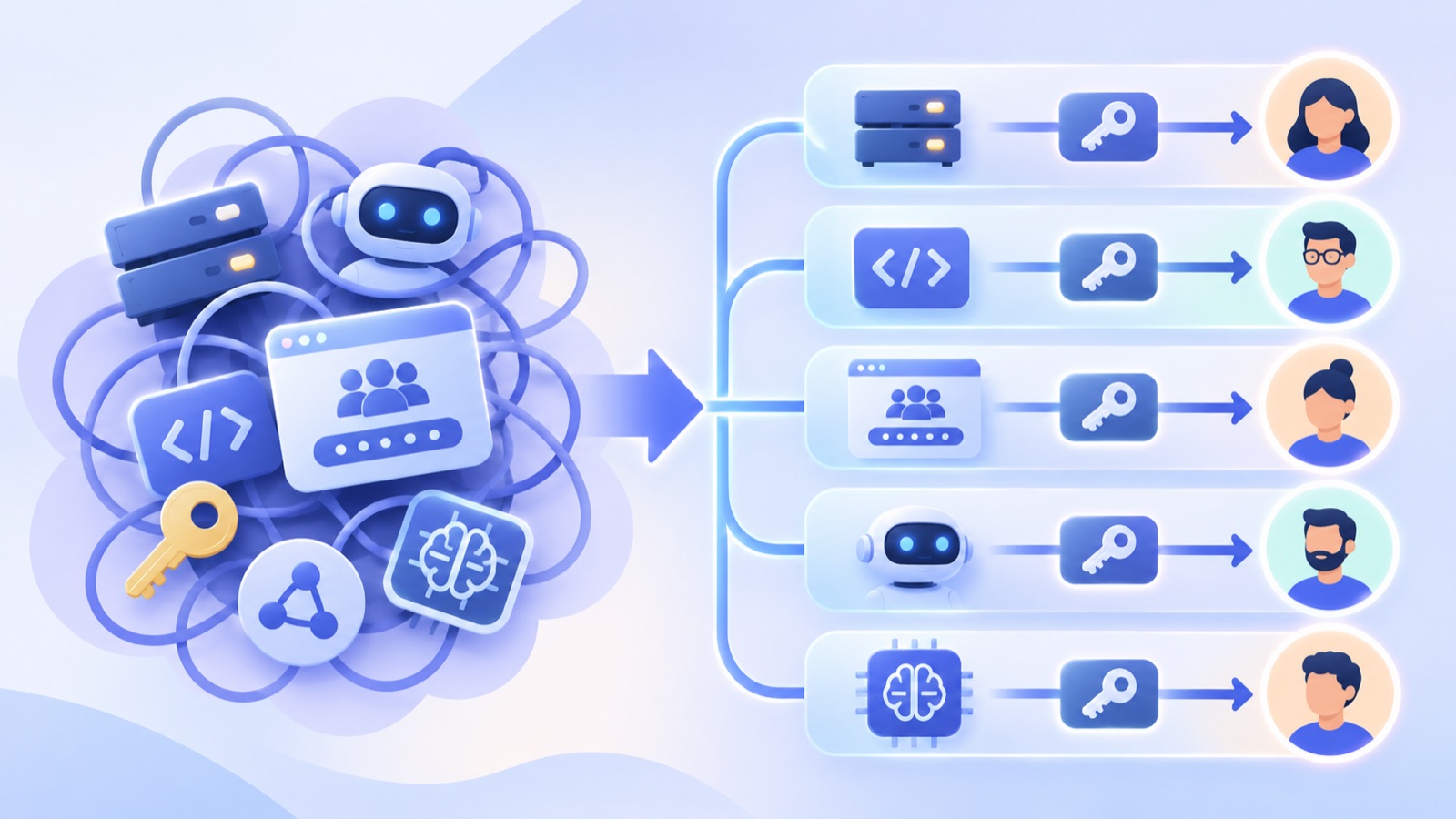
The label broke
A few years ago, "non-human identity" meant something pretty boring. A service account. A Slack bot. An API key someone made for a sync job and forgot about.
Now it means all of that. Plus an AI agent that reads your support queue. Plus a coding agent running on an engineer's laptop with her cloud credentials. Plus the OAuth token an automation tool holds on behalf of someone in marketing.
Same label. Wildly different problems.
So, what the hell IS an NHI these days? Honestly, I think that's the wrong question. The usual answer, an identity or credential that software uses instead of a person, is fine for a list. It's useless for decisions, because it lumps together things that need opposite treatment.
The more useful question: who or what can reach what, through which login and credential, and which person answers for it? Then the test: when anyone tied to it leaves, or the agent or automation is retired, what should happen to it? That one has an answer. "Is it human?" mostly doesn't.
We build identity governance at YeshID, so we have a stake in how this gets framed. We start from your directory, Google Workspace and Microsoft 365, and connect out to clouds and AI platforms like AWS, GCP, Anthropic and OpenAI. We'll say below where we stop.
What people mean by "NHI" today
Ask five security people what counts as a non-human identity and you'll get some mix of:
- Service accounts and workload identities: GCP service accounts, Entra service principals and managed identities, AWS IAM roles that workloads assume, a Workspace user account kept alive for a sync
- Bots and app installs: Slack bots, GitHub Apps, admin-installed OAuth apps
- Automations: Zaps, cron jobs, CI pipelines
- Credentials: API keys, access keys, personal access tokens, deploy keys, client secrets
- OAuth grants: every "Allow access" someone clicked that handed an app their mail, files or calendar
- Shared accounts: a team login like
finance@, shared mailboxes, the break-glass admin, the AWS root user, and the sharedadmin@login that should have been retired years ago - AI agents: a Copilot Studio or Bedrock agent, a self-built agent running on a server, a coding agent on someone's laptop
The industry then puts all of it in one bucket, one list and one review step. "Review all non-human identities."
That's where it falls apart.
Why "human vs. non-human" is the wrong split
"Non-human" doesn't tell you what to do with something. Look at a few real cases:
- A shared login is used by humans. Three people sign in to a vendor portal as
finance@. It still shouldn't be deleted when one of them leaves. Yes, shared logins are a smell. Nearly every company has them anyway. - An AI agent isn't just a login. It behaves more like a new hire. It shows up with almost nothing that reaches your data, and someone connects it to GitHub, the support desk and the logs. Some platforms, like Copilot Studio, now give it a directory identity on day one. That's one more thing it has, not what it is.
- A personal API key powering production is "human." Kill it on that engineer's last day and something breaks at 2 AM. The fix isn't to leave it alone. It's to move the workload onto a service login with its own key and an owner before the person goes.
- In Google Workspace, a bot's login can look exactly like a person's. The directory calls it a user. Hand the credentials for a normal-looking "John Doe" account to a bot, and it's a service login. The name won't tell you. How it's used will.
There's a deeper habit underneath this. We've fused the person and their login in our heads because they usually line up. But they're still at least one hop apart. You are a person. you@company.com is your login. finance@company.com is another login you might answer for. A lot of offboarding mistakes come from treating every login as "the person."
The label hides the decision that actually matters.
A better model: a path, and who's tied to it
Set the human/non-human label aside and every case comes down to a path and the people tied to it. The path: a holder acts through a login, using a credential, to reach something. One person answers for the path. Others may have it or use it. When any of them leaves, you have a decision to make.
Take a real one. Arthur, an engineer, built and owns an agent that reads the support queue. The agent is the holder. It signs in to Zendesk through an OAuth grant that Wren, an operations lead, approved. So the login is Wren's Zendesk account, and the credential is that grant. It can reach the support queue, plus anything else the grant's scopes allow. Arthur answers for it. Wren is tied to it too. Zendesk can tell you whose token it is, but not what depends on it or who answers for that.
The path
Holders are the things that act: people, AI agents and automations. People join, move and leave, and HR, contract end dates or vendor offboarding tell you when. Agents and automations get created and retired. Groups aren't holders, since a group never acts on its own. A group is how you grant access in bulk and route ownership to a team.
Logins are accounts in an app. Classify them by how they're used, not by what the identity provider calls them. Cloud IAM calls them principals. We split a principal in two: the holder is who acts, the login is what it acts as.
- Personal. How it's used: Used by one person. Examples:
you@company.com, your Slack account - Shared. How it's used: Signed in to by more than one person, or by whoever holds a role. Examples:
finance@with a team password, break-glass admin, AWS root - Service. How it's used: Used by software; no person signs in day to day. Examples: GCP service account, Entra service principal or agent identity, Slack bot
Some shared logins are legitimate. Keep break-glass admins few and sealed, and alert on every use of them or of the AWS root user. In AWS Organizations you can now delete root credentials from member accounts entirely. A shared admin login like admin@ is not legitimate: nobody is individually accountable, and everyone who knows the password is a risk. Replace it with named admin accounts, and until you do, give it an owner and a rotation plan. A Microsoft 365 shared mailbox is a different animal. Nobody should sign in to it directly. People reach it through delegation on their own logins.
Credentials are whatever lets something act. Some are secrets: passwords, API keys, client secrets, deploy keys. Some are grants: OAuth consents and app installs. Some are bindings with no stored secret at all, like a managed identity or OIDC federation from CI. There, the trust policy or identity assignment is the credential. Removing it stops new tokens, but sessions already issued need their own, provider-specific revocation. Two questions decide what to do with one:
- Whose login does it act as? A person's, a shared login's, a service login's, or none at all, like a deploy key tied to one repo.
- Where does it live? With the person, in an app that keeps a token on their behalf, or in a workload's config. A binding has no copy, so ask what it trusts.
Reach is what the path can touch, and how much: scopes, roles, admin rights, production or test. Two tokens on the same login can be worlds apart, one read-only and one with full access. Ownership tells you who decides. Reach tells you how much the decision matters.
Logins can chain, too: one service account impersonating another, a role assumed across AWS accounts, SSO into dozens of apps. Treat each hop as its own path.
Who's tied to it
Edges tie people, and sometimes agents, to a path. Four matter:
- Has. Meaning: Holds their own login or credential. Example: Wren has a Zendesk account
- Uses. Meaning: Can act as a login that isn't theirs: signs in to a shared login, checks its password out of a vault, or works through delegated access. Example: Three people use
finance@ - Owns. Meaning: Answers for it, and gets it handed over when someone leaves. Should always resolve to a named person. Example: Arthur owns the support agent. Wren owns
finance@ - Depends on. Meaning: An agent or automation acts with a login or credential someone else has, so it breaks when they leave. Example: Arthur's agent depends on Wren's Zendesk grant
Group membership isn't an edge of its own. It's how people pick up Has and Uses in bulk.
The rule of thumb for anything you find: if it acts and a model picks its next step, it's an agent. If it acts on a fixed script, it's an automation, even if one step calls a model. If a person signs in to an account, it's a personal or shared login. If only software signs in, it's a service login, even when that software is an agent. If it's a secret, a grant or a binding, it's a credential: ask whose login it acts as and where it lives.
So what is an AI agent?
Practitioners don't tell us they're worried about service accounts in the abstract. They tell us they're worried about agents doing something stupid. Reaching too much. Answering to nobody. Still running after the person who built them is gone. So "agent" needs a real definition.
A working definition
An agent is software that's given a responsibility, decides its own next steps, and acts in your systems using access someone gave it.
That has three parts:
- Responsibility. It's handed a job, not a fixed script. Sometimes a standing one, like triaging the support queue. Sometimes a one-off, like a prompt to fix a failing test. Each run's goal is part of that job.
- Judgment. A model picks the next step, so the same input can lead to different actions. That's what separates an agent from a cron job or a Zap. Those are automations: same kind of path, same ownership questions, different species.
- Access. Logins, API keys, OAuth grants, connections to GitHub or Slack. Without them, an agent can only talk.
An agent can be given a responsibility. It can't be held responsible. A person is.
Every platform defines "agent" its own way. OpenAI, Anthropic, Microsoft, AWS, Google Cloud and GitHub each model it differently, and that's before the agents built into apps like Attio, Pylon and Slack. That's fine. We use each platform's own terms.
Is an agent just code?
Sometimes. A self-built agent lives in a repo, and CODEOWNERS tells you who reviews changes. It doesn't tell you who answers for what the running agent can reach in production right now. And plenty of agents aren't code you own: a configuration in a platform UI, or a session on an engineer's laptop running on their own login.
Even when it is code, the code is the least interesting part for security. Take two agents with identical code, one with a read-only key and one with a production admin token. They are very different risks. So code is the body. Access is what makes an agent something you have to govern. Repo ownership is a good hint about who owns an agent, but it doesn't settle what happens to its access.
Agents are holders, not logins
An agent is a holder, like a person. On its own it can't do anything. It gets access the way a new hire does. Unlike a person, it can't own anything. Where a platform gives an agent its own identity, like an Entra agent identity or the IAM role a Bedrock agent runs as, that identity is a service login the agent has. A service account is something an agent has, not something it is. Revoke a self-built agent's service account and the agent may still be running somewhere, on other keys.
Agents don't leave through HR. They're retired: when their owner says so, when the person they act for leaves, when they've sat idle past a limit you set, or when their platform deletes them. A deleted platform agent can still leave keys and connections behind elsewhere. Retiring one takes two steps. First, check whether anything depends on it. Then go through everything it holds: every login, key, grant and connection. Revoke each piece, or rotate it before you hand it to someone else.
Three kinds of agent
In practice there are three kinds, and the difference is what an identity system can see:
- Platform agent. Example: A Copilot Studio or Bedrock agent. What an identity system can see: The agent through the platform's admin API or the directory, plus its keys and connections. How you find it: Listed from the platform, then given an owner
- Self-built agent. Example: Code on a server with a cloud service account and a few API keys. What an identity system can see: Only the service account and keys, not the agent. How you find it: Someone declares it and attaches what it uses, or the system suggests it from the pattern of access
- Local agent. Example: A coding agent using an engineer's own cloud login. What an identity system can see: Usually just the person. If it signs in through its own OAuth app, you see that grant. If it reuses the engineer's CLI login, the grant names the CLI, not the agent. How you find it: Through the person: who they are and what they hold
When an agent runs on a person's own signed-in session, as most local agents do, we call it dark access (our term). It's real, it can do real damage, and to an identity system it looks exactly like the person whose session it borrows. The main lever is that person's access, including any keys or tokens the agent copied.
Who the agent acts for
One more distinction decides an agent's lifecycle, and it isn't where the agent runs. It's who the agent acts for. A personal agent acts for one person, usually with their delegated access, and should go when their account goes. A company agent acts for the organization. When its owner leaves, it should move to a new owner or be retired on purpose, not quietly die (or quietly keep running with nobody watching). Most local agents are personal. Platform and self-built agents can be either, so check who it acts for, not where it runs. Arthur's support agent is a company agent. If Arthur leaves, it gets a new owner. If Wren leaves, it needs a new grant.
What "ownership" actually means
The owner is the person who answers for a piece of access. A team can own things too, as long as it has a named accountable person. For anything with real reach, name a backup either way. The owner can retire it. It gets handed to them, or from them, when someone leaves. And if something goes wrong, they're the one who gets the call.
That's not whoever holds admin rights on it. Entra, GCP and Google Groups all use "owner" for the admin. Same word, different job.
Auditors want two answers for every service login, key and agent: who can use it, and who is accountable for it. Ownership is the second.
The creator is not the owner
Plenty of tools treat the creator as the owner. The creator is a hint. Nothing more.
- One engineer creates a key for a colleague. Tie it to the creator, revoke it when they leave, and you just broke the colleague's work.
- Terraform or CI created many of your keys. The audit log shows a pipeline, not a person. The real owner is in the pull request or the tag, not the creator field.
- Several apps share one key, and a key passed from one person to another leaves no trace.
- Names lie too. A key called "kevin" may belong to someone who isn't Kevin.
Agent platforms are no exception. Many record only who created an agent and let anyone with access edit it. When the creator's account goes, the agent either keeps running with nobody watching or breaks because it ran on their connections. Creator, yes. Owner, no.
Microsoft is moving the right way. Entra requires a sponsor on every agent identity: a user or group accountable for what the agent is for and whether it keeps running. That's close to what we mean by owner. But Copilot Studio fills it in automatically, usually with whoever made the agent. Some older agents have none. And it covers the Entra identity, not the keys and grants the agent holds elsewhere. Treat it as a strong first guess, not the answer.
Every piece of access should end at a person
Sometimes ownership runs through a chain. An agent has a key, the Platform team owns the agent, and the Platform team has a named person who answers for it. That's fine.
What's not fine is a chain that ends at nothing, or at someone who already left. Anything that doesn't resolve to a current person shows up as unowned, not silently ignored. Routing it to the app's business owner by default is fine, but it still counts as unowned until someone confirms.
What should happen when someone leaves
Without an owner, you can't decide anything. Rotate it? Reassign it? Delete it? Nobody knows, so nothing happens. Or worse, someone guesses.
The classic move is the scream test: switch it off and see who complains. Disable it, so you can flip it back on, and that's a technique. Delete it, and that's a pager waiting to go off.
Leaving is a decision per edge, not per person
When someone leaves, each edge tied to them needs its own outcome. Don't let the account's fate decide everything attached to it. A contractor's end date is a departure too. A team change is a smaller version: what they own moves, their role-based access goes, and their own login stays. Leaving is the loudest trigger, not the only one.
Two rules apply wherever the leaver had a way in. Anything they could read, use or copy gets rotated or re-enrolled: passwords, keys, client secrets, MFA factors and recovery details. And their live sessions and tokens get revoked. Disabling the account alone doesn't kill a long-lived key on their laptop or a cloud session that's already been issued.
When the person leaves, the sensible default depends on what they were tied to. If they:
- Have a personal login: Suspend it, which blocks new sign-ins and can be undone. Revoke its sessions and tokens. Move its files and mail to a named person, with forwarding for inbound mail. Delete after the retention period, never during a legal hold
- Hold admin rights in an app or cloud account: Make sure they aren't the last admin, name a replacement, then remove their role
- Are a member of a group: Remove them, and check what the group grants
- Own a shared login: Reassign it, rotate the password, and re-enroll MFA so the leaver's device is no longer a factor
- Use a shared login: Same rotation, even though the owner didn't change. Better yet, move it behind vault checkout or delegated access, rotating once as you do. Then the next leaver is just a revocation
- Use a shared mailbox through delegation: Remove their delegation, and confirm direct sign-in to the mailbox account stays blocked
- Own a service login: Reassign it, and rotate any key they could have copied
- Have their own API key or OAuth grant: If something runs on it, move that to a new credential first. Then disable it where the provider allows, or revoke it. OAuth grants can only be revoked
- Own a company agent or automation: Reassign it or retire it on purpose, and rotate the keys it holds
- Have a personal agent acting for them: Retire it with their account, and revoke its grants and keys
- Are the named accountable person for a team's access: Pick a successor and a backup before their last day
- Have a login or credential that an agent or automation depends on: Move the workload onto its own service login and owner before their last day. If the exit is sudden, cut access first and rebuild after, which is why you map these dependencies ahead of time
That last one is the one that bites. Arthur's agent depends on Wren's Zendesk grant. Wren doesn't own the agent, but when Wren leaves, the agent dies, unless someone notices the dependency first. No "review all NHIs" checkbox catches that. The fix isn't to keep Wren's grant alive. It's to give the agent its own service login and grant in Zendesk, with Arthur as owner.
All of this assumes each login was classified with confidence. When one wasn't, no step is safe for both cases. Removing a role or a group can break a bot as surely as suspending it. Treat it as a risk decision, and make it fast. Contain what clearly belongs to the person, like their interactive sessions and devices. Check what the account's workload needs, and escalate to whoever runs it the same day. If anything has to stay live, make that an explicit exception, approved and time-limited. Treat a bot's "John Doe" account as a person and production breaks. Leave a real person's account alone and a former employee keeps a working login.
Not all unowned access is equal
Vendors love to tell you they found 4,000 unowned identities. (We're tempted too.) Most of them don't matter. A test key with narrow scope and no owner is noise. These come first, plus two that are one departure away:
- Access with real reach whose owner already left, especially anything they knew the secret to. They may still have a working copy, and nobody is watching it
- An account with admin rights and no owner, like a shared admin login or a break-glass account
- A production key, or anything a production system used recently
- An app whose last admin is leaving. Then nobody can manage it
- A pile of projects whose only owner is leaving. All of it is orphaned at once
Rank by reach, exposure and recent use, not by count.
How we think about it at YeshID
We stopped organizing around "human vs. non-human." We organize around paths, and who's tied to them.
One place for all of it. We keep each platform's own objects and terms, close to how the vendor models them. Then we put them in one view with your people: agents, service logins, keys and grants next to the humans they're tied to, and the owners who answer for them.
Classify by use, not by label. We start from the vendor's own type, then let usage override it. A Workspace user with no interactive sign-ins for months, whose only traffic is API calls from one or two apps, is probably a service login, whatever the directory calls it. The name comes last. Plenty of risky access has a boring name.
Ownership is labeled and inferred. Because we connect to AWS, GCP and the AI platforms you use, we read the owner tags and labels teams already keep, instead of asking anyone to retype them. Everything else gets a suggested owner with a confidence level. And this runs all the time, not just at offboarding. If you can't name an owner today, you won't magically know more on someone's last day.
Ask the person who actually knows. The IT admin running an offboarding usually can't tell which of an engineer's 12 API keys matter. So we group the guesses, ask the most likely owner, and show last-used data with the question. "These five keys look like yours. Still using them?" If that's the person leaving, we ask them while they're still around and have their manager confirm. When the answer is "delete them," the list shrinks before anyone assigns anything.
The leaver's plan shows what we see, and what we don't. Instead of one vague "review non-human identities" step, you see each login, key, grant and agent tied to that person, and what happens to it: suspended, disabled, revoked, reassigned, rotated, retired, held for review, or deleted after the retention period. Each item is marked discovered or inferred, and inferred ones wait for someone to confirm. What we can't see, like a local agent on an engineer's laptop, shows up as a known gap, not a silent omission.
Where we stop. Keeping an agent's standing access right, and cleaning it up when the agent is retired, is our job. Blocking a single action in the moment (say, a delete on production) needs something in the request path, like an AI gateway. We connect to those and hand them the policy rather than building yet another proxy.
FAQ
Is an AI agent a non-human identity? Technically, sure. Practically, treat it like a new hire who can never be the one held responsible. It gets access, it needs a person who answers for it, and when it's retired you go through everything it holds and revoke or reassign each piece.
Do I need to label everything before any of this works? No. Almost nobody does. Start with what can be inferred, confirm the high-impact items first, and let the rest get suggested over time.
The short version
"NHI" is a useful inventory label. It isn't an offboarding instruction. Behind it is a pile of very different paths: a holder acting through a login, with a credential, to reach something. The holder might be a person, an agent or an automation. The question that matters isn't "human or not." It's who or what can reach what, through which login and credential, and which person answers for it. And when anyone tied to it leaves, or the agent or automation is retired, what should happen to it?
If you can't answer that, you don't have an identity inventory. You have a list.
Connect your Google Workspace or Microsoft 365 and see what's connected, who probably owns it, and what nobody does. Try YeshID free →