
Blog
YeshID Release Notes: May-June 2026
July 6, 2026
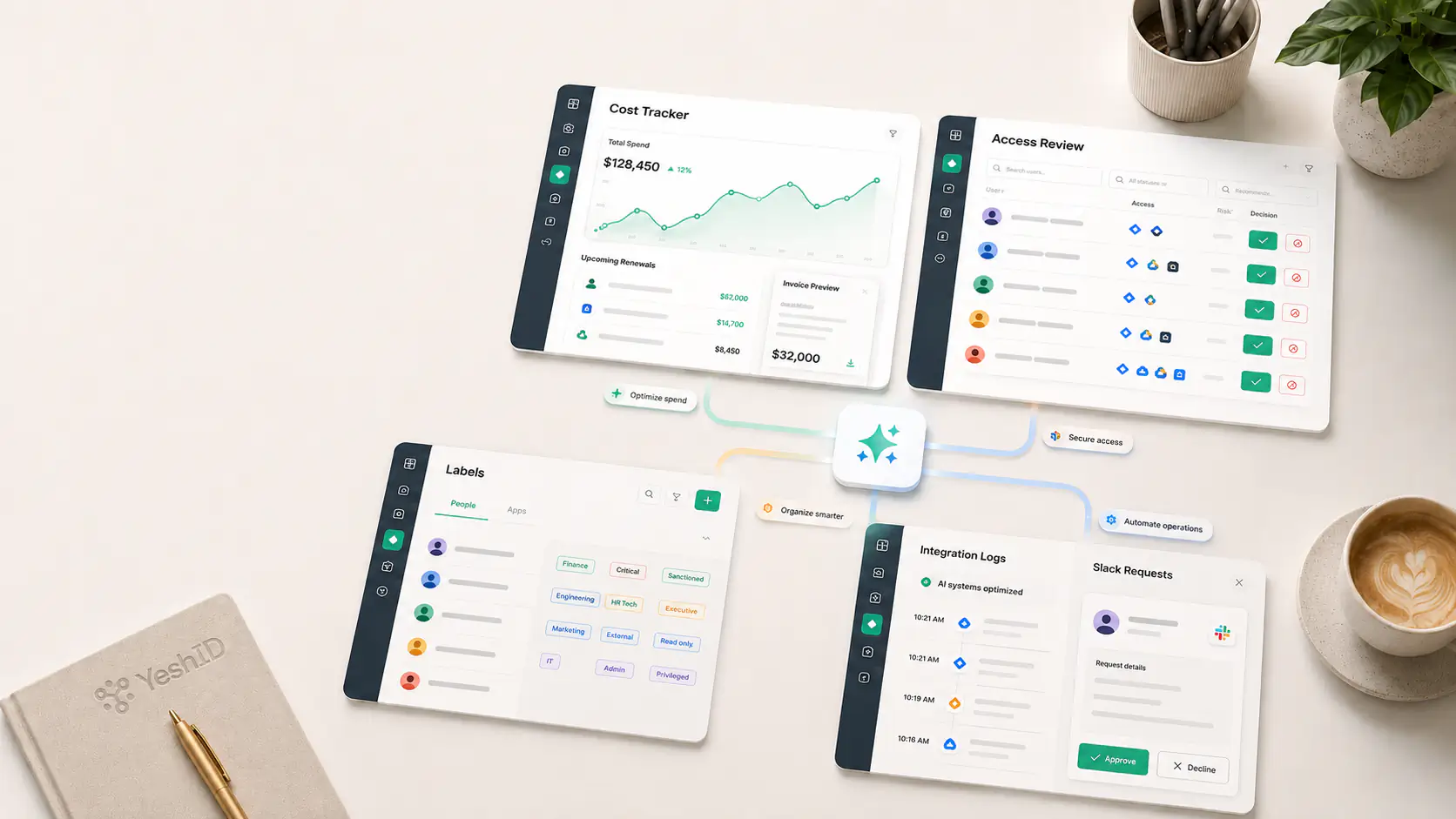
This release gives admins stronger controls for SaaS spend, access reviews, identity organization, and integration troubleshooting. It also makes workflow automation, Slack-based access requests, and high-volume app administration easier to manage.
Highlights
- Track SaaS spend with the new Cost Tracker experience where enabled. Admins can review spend by application, inspect renewals, upload invoices, confirm extracted invoice details, find underused licenses, and spot orphaned accounts that may represent wasted spend or access risk.
- Organize people, groups, and applications with Labels. Create labels in Settings, apply them inline or in bulk, filter core lists by label, and use Rae to answer label-aware questions about users and applications.
- Review access with more context and better remediation paths. Access reviews now support resource-level reviews, change-access decisions, manual evidence upload, bulk app-level changes, clearer retry states when syncs fail, and better snapshot preparation.
- Understand integration activity faster. Application and directory Logs show external runs such as syncs, imports, provisioning, group changes, and deprovisioning with status, details, summaries, and retry paths where supported.
- Give employees a smoother request experience in Slack where Rae is enabled. Employees can check their own access, discover requestable apps, submit access requests through conversation or forms, and approvers can receive Rae-written recommendations on approval cards.
What To Try First
- Open Cost Tracker and review the Applications and Renewals views. Check the apps with low utilization, upcoming renewals, orphaned accounts, or invoice-backed spend trends.
- Create a few labels in Settings > Labels, apply them to people, groups, or applications, then filter those lists from the existing search bar.
- Open an application or directory and check the Logs tab. Use it to find recent syncs, failed runs, partial runs, and retryable integration activity.
- In an access review, try a resource-level review or change-access decision, then inspect the remediation state if YeshID needs fresh evidence or a provider sync retry.
Improvements
- Access Map and resource visibility are clearer for eligible orgs. Admins have a stronger way to explore relationships between people, applications, accounts, resources, and activity.
- Application account management is faster at scale. The Add Users dialog now supports a cart-style flow, inline person creation, paste-to-match for lists of names or emails, and bulk group membership changes from the Accounts view.
- Workflow setup and communication are more flexible. Admins can schedule workflows, configure owners and notifications, start from blank onboarding/offboarding/change workflows, test triggers before creating real users or workflows, attach files to email tasks, and use verified sender domains for onboarding/access emails.
- HRIS and people-source handling is safer. The employee import wizard shows mapping, create decisions, preview results, and per-row reasons; HRIS date changes can reschedule staged workflows and notify admins; people-source priorities prevent lower-priority sources from overwriting higher-priority records.
- Provisioning coverage expanded across providers, including Slack, Zendesk, Loom, DocuSign, Cursor, Factorial, GitHub App authentication, Google license tasks, and code-backed or SCIM-based integrations.
- Admin controls and app usability are cleaner. Administrator and Auditor are assignable roles, per-role inactivity timeouts can be configured, RBAC is no longer marked beta, and dark mode is supported across the app with follow-up fixes for Code Mode, dialogs, workflow controls, and docs.
Fixes
- OAuth-backed integrations are more reliable across providers that handle refresh tokens, scopes, client authentication, or stored OAuth settings differently.
- SCIM imports and role changes are more resilient, including pagination fixes for providers such as 1Password, better short-page handling, disabled remove-from-role tolerance during role switches, and provider-specific fixes for incident.io, Loom, Zendesk, DocuSign, and Zoom.
- Workflow and audit runs avoid more dead ends: duplicate HRIS lifecycle workflows are reduced, no-identity tasks cancel cleanly, automated subtasks respect the right ordering, audit sync failures show retry instead of asking for the wrong evidence, and sibling review scopes can complete in parallel.
- Access request communication is clearer. Comments are shared with requesters by default unless marked internal, internal comments stay hidden from requesters, rejected requests remain visible with the denial reason, and approval buttons use clearer Approve/Deny wording.
- Large-org access views and integration troubleshooting should feel faster and steadier after batching identity reads, improving retry/backoff behavior, and adding better run history.
Availability
- Cost Tracker, Slack/Rae access requests, and app-usage activity are shown only for organizations where those capabilities are enabled.
- Access Graph, Access Map, and Resources visibility are available with Business-plan Access Graph access.